HTML 101
The practical part of today includes an exercise on taking notes. It is therefore strongly recommended that you take notes. This is preparation for your further studies and career. If you don't take notes, I assume you can remember everything.
Intro
HTML works with what's called elements or tags. A tag consists of a name and surrounding angle brackets < >. Tags almost always come in pairs: an opening tag <tagname> and a closing tag </tagname>. The opening and closing tag have the same name. The only difference is that the closing tag has a forward slash / before the name. For example, a paragraphParagraph: A block of text is defined with <p> and </p>. The content goes between these tags, like so:
Closing tags is really important. If you do not close tags, everything goes inside of each other. Of course, sometimes you want this to be the case.
Basic structure
This structure forms the basis of every HTML document.
<!doctype html>→ The document type. Absolutely necessary. If you don't use this, the browser might render the page in 'quirks mode' which could break your website.<html>→ The rootRoot (NL: wortel): The top-level element in an HTML document. This is the beginning. element. All your code goes inside of this element.<head>→ Things in the head are not visible to other humans. Here comes document information that's mostly useful for machines, who somehow can read what's in your head. Here you load in different files such as CSS (styling) and JS (interactivity).<title>→ The page title goes in here. Visible only in the browser tab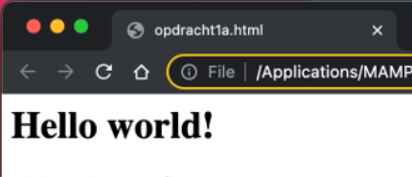 . If you leave it empty, it shows the file name.
 This goes in the .<head><body>→ The way the body looks, that's what humans see! This is where you put all of your content.<!-- This is a comment -->→ Only visible in the code, the browser doesn't render this.
Basic structure quiz
Mini assignment
Basic elements/tags
There are several basic elements/tags in HTML that you should be familiar with...
Basic elements/tags quiz
Mini assignment 2
Attributes
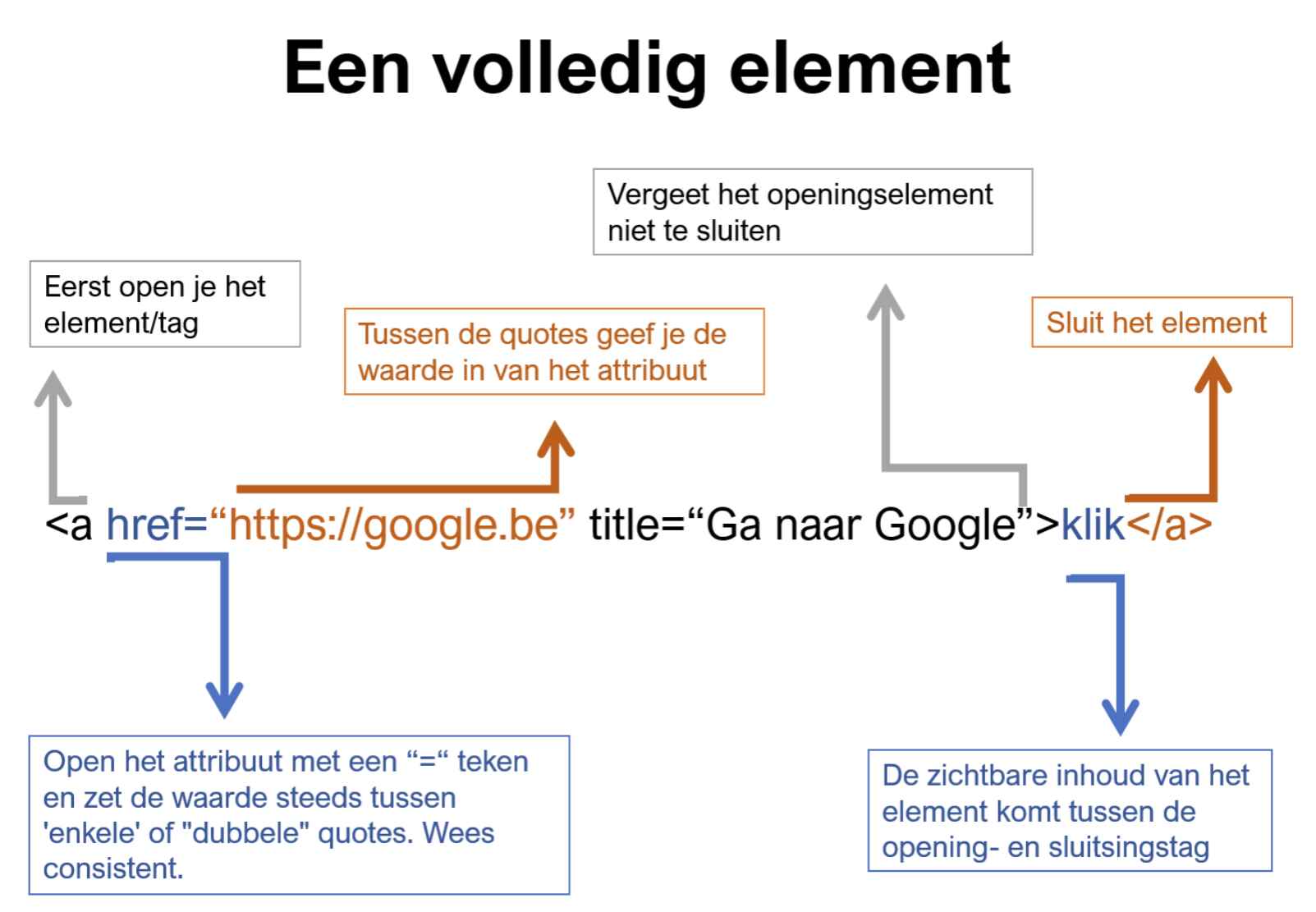
As you might've noticed with the anchor, it's missing some data in order to function well. Lots of tags can receive attributes, which provide additional information about the element and what it should do. Attributes are always part of the opening tag and happen after the name of the tag and before the closing angle bracket (>).
Example:
An anchor needs a href attribute to specify the URL it links to. Secondly, a title attribute can provide additional information about the link. Hover the link for a second and see what happens.
A second interesting example is the <img> tag. Obviously it also requires a source, which in this case is called src. Secondly it needs an alt attribute to provide alternative text for the image. This is used when the image can't be displayed, in search engines, for special devices, blind people, and more.
Second example
Let's load in an image which is one of the few exceptions and doesn't need a closing tag:
Which then looks like: 
See how it's not working properly? That's because there is no image.jpg at the same location of this HTML file. We also need to refer to the correct folder.
Let's try that again. Note how I'm using "../" to go "up" a folder. Then I tell the computer in which folders it needs to go. 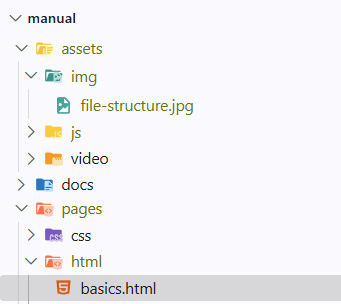
IDs and classes
The above attributes are specific for the <a> and <img> tags. But there are also attributes that work for almost every tag. You can add a class or an id attribute to any element which is then used to target this element. Adding a class or an ID has three purposes:
- It is used as an identifier. If you give a paragraph the class 'introText' then you can easily deduce that it's the introduction text.
- They're used to apply styles with CSS. Don't quite understand it? inspect the red warning block under this.
- They can be used by JavaScript to manipulate elements, such as changing the value or adding a visual effect.
You can use a class as often as you like, but an ID should be unique within a page. Both of these are often forgotten.
For now we'll stick to using classes.
Recap
HTML Attributes quiz
End of the chapter
Tag knowledge quiz
There are some new tags in here so don't worry if you don't get them all.
Conclusion
For the final part of this chapter, we'll make a simple page.